Snapshot a container filesystem
A container image is a filesystem, which makes it a natural fit for neogit:
export its root filesystem and commit it like any other directory tree. Snapshot
two versions of the same image and neogit diff shows you exactly what an
upgrade changed — file by file.
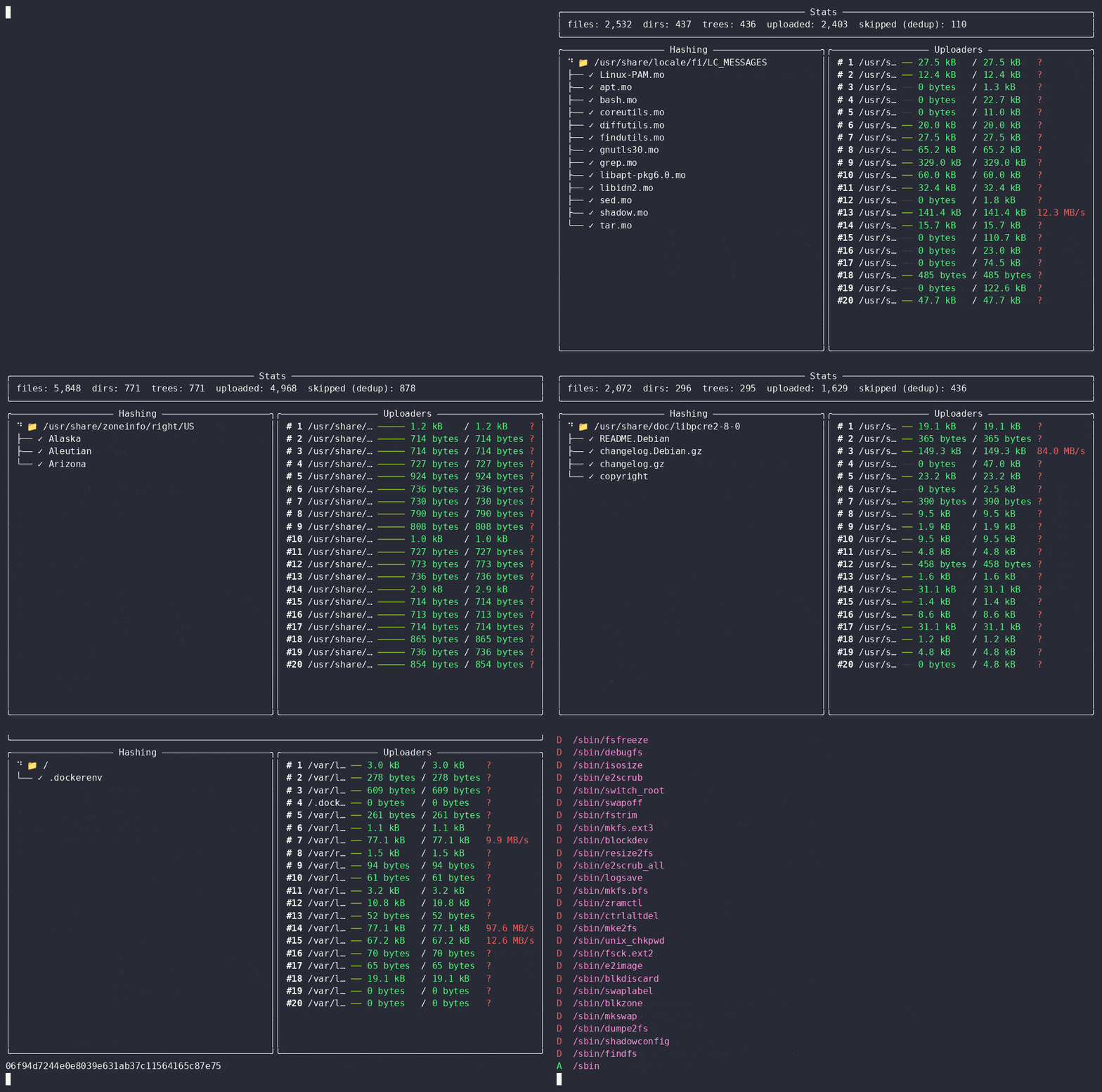
1. Export the root filesystems
docker export streams a container's whole filesystem as a tar archive. Create a
container from the image (without running it) and unpack it:
mkdir -p ~/local/debian_11 ~/local/debian_12

cid=$(docker create debian:11); docker export "$cid" | tar -C ~/local/debian_11 -xf -; docker rm "$cid"
cid=$(docker create debian:12); docker export "$cid" | tar -C ~/local/debian_12 -xf -; docker rm "$cid"
Each tree is a real Debian root filesystem — a few thousand files: glibc,
perl, apt, shared libraries, config under /etc.
2. Commit each snapshot
neogit init
neogit commit Debian_11 -r ~/local/debian_11 --gui
neogit commit Debian_12 -r ~/local/debian_12 --gui
--gui shows the live progress pane: the folder being hashed on the left, and a
per-worker Uploaders panel on the right, with a running tally of
files / dirs / trees / uploaded / skipped (dedup).
Because blobs are addressed by their SHA-1, content shared between the two snapshots is stored once: files identical across the two Debian releases are uploaded by the first commit and skipped by the second. (Between two major releases most binaries are recompiled, so the overlap is modest — the skip count is larger when you snapshot two close versions of the same image.)
3. Diff the two snapshots
Grab the two commit hashes from the log, then diff them:
This prints the full file-level diff of the upgrade in git --name-status style —
for bullseye → bookworm that's several thousand changed paths (added libraries,
modified configs, the perl interpreter bump, and so on).
See also
- Diff two commits — the
FSDiffObjectfields and library API - Tutorial / Your first snapshot — the basics, end to end
- Explanation / Merkle design — why content-addressed storage dedups for free